Why is my business not showing on Google Maps? 8 checks
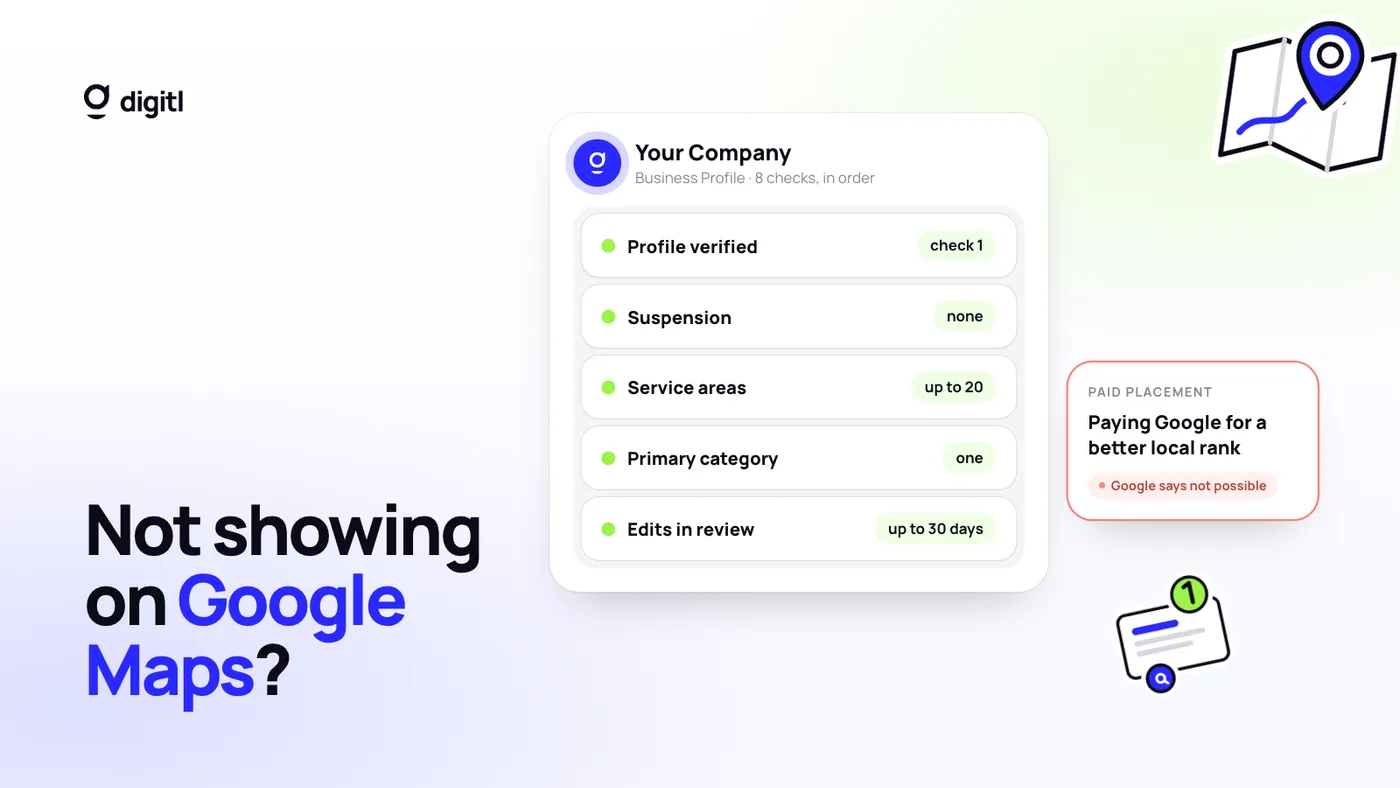
Why is your business not showing on Google Maps? Work through 8 checks in order, from verification and suspension to category, duplicates and distance.

LukaMarketing14 min read
Key takeaways
5 things to take awayWhy is my business not showing on Google Maps? Check verification, suspension and pending edits first, then where you searched from.
Hide your address as a service-area business and you still show on Maps, across up to 20 cities or postcodes you set.
Google ranks local results on relevance, distance and prominence. It says there's no way to pay for a better local ranking.
Google won't show a profile it treats as a duplicate on Search or Maps, and merging two can lose your replies to reviews.
An edit can sit in review for up to 30 days, and a new business's rankings can take up to a month to appear.
You search for your own cleaning company from your kitchen table, and Google Maps shows three competitors instead. That proves less than it seems. A customer searching from inside your service area sees a different map, and your profile may be fine.
If it doesn't appear even for its exact name, Google probably isn't showing it to anyone. The usual causes are verification, a suspension, a duplicate or an edit under review. If it appears for its name but never when someone searches for the service, look at the primary category or the searcher's distance.
What does "not showing on Google Maps" mean for your profile?
Either Google isn't showing the profile to anyone, or it shows it but ranks it below competitors for the searches that bring in work.
A Google Business Profile is a free listing that lets you manage how your business shows up on Maps and Search. The same page limits it to businesses that make face-to-face contact with their customers.
Before you touch a single field, run two searches: your exact business name, then the service plus a town you cover. Google suggests running both in a private window in Chrome or Google Maps, so you see the profile the way a stranger would.
| What you see | Likely cause | Go to |
|---|---|---|
| Nothing for your exact name | Not verified, suspended, a duplicate, or an edit under review | Steps 1, 2, 6 and 7 |
| Your name shows, but not for "cleaner" or "plumber" in your area | Category, name or the searcher's distance | Steps 4, 5 and 8 |
| Your name shows with no street address | Normal for a service-area business | Step 3 |
| The name or details differ from what you entered | An edit under review, or a change by Google | Steps 5 and 7 |
If you'd rather skip the eight checks, send us a message with your profile link and we'll tell you which one it fails.
Step 1. Check that the profile is verified
Google lets only verified businesses show their info on Maps and Search, so a profile that's unverified or still pending stays off both.
Google's page on finding your business also gives a new business's rankings up to a month to appear in search results. If you verified last week and nothing ranks yet, you may simply be early.
Google picks the verification method for you, and it can't be changed. The review itself takes up to 5 business days. If Google sends a postcard, the same guide lists the ways to break it while it's in the post:
- editing the business name, address or category, which stops the posted code working;
- requesting a new code, which cancels the one already in the post;
- leaving it too long, since codes expire after 30 days and most arrive within 14.
A home-based business can still pass video verification. You film the landmarks and signs in your immediate neighbourhood, then record a job or the unlocking of a branded van. If the "Get verified" button reappears afterwards, Google couldn't completely verify the business.
Before anyone touches the profile, we write down its verification status and the method Google offers. That way nobody changes the category while a code is in the post.
Step 2. Check for a suspension or restriction
Break Google's guidelines and the profile gets disabled or suspended, and it won't show to other users until you've resolved the issue.
Google sends the notice to the Google Account that manages the profile, so search that inbox first. A restriction on the account itself is worse, since it suspends every profile that account manages. Google's suspension page only lets you appeal for a profile once the restriction is lifted.
You get one appeal, so fix the breach first. Read the profile line by line against Google's guidelines for representing your business.
Then gather documents such as a business registration or a utility bill. Google asks you to check that the name and address on each one match the profile you're appealing for, and not to create a new Business Profile for the same business while you wait.
Before the single appeal goes in, we check the profile field by field against the guidelines and fix anything that breaks a rule.
Step 3. Check how a service-area business is set up
A service-area business, in Google's definition, is one that visits or delivers to customers directly but doesn't serve them at its business address.
If that's you, Google's service area guide says to take your address off the profile. Customers then see your service area in its place, so a profile with no street address is working as intended. The area itself has firm limits:
- up to 20 service areas, set by city, postcode or another area you serve;
- no radius around your base;
- an overall boundary of about 2 hours' driving time from where the business is based, as the guidelines put it;
- one profile for the whole area, with no second profile for the next town.
Once Google approves them, service area edits may take up to 48 hours to show.
So which towns do you actually send a van to in a normal month? Put those on the list, and leave off the ones you'd only cover for an unusually big job.
We build the website around that same list of towns. When we rebuilt Pando Cleaning Solutions' site, it became forty-four pages, one for every service, every city and every question a customer types before booking.
Step 4. Check the primary category
Google confirms that categories affect local ranking, so a wrong primary category can keep you out of the searches for your main service.
Google's category guide asks for the one primary category that best describes your business, and says not to add a category for every product or service. Its own example is a pizza restaurant, which may still show when someone searches for Italian restaurants.
Google also picks up category information from your website and from mentions of the business elsewhere on the web. If the profile names one service and your homepage leads with another, Google gets two different answers. Name the same core service on both.
Choose carefully and change it once. Google warns that adding or editing a category might mean verifying the business again, which sends you back to step 1.
Our rule is to pick the primary category from the service the business most wants enquiries for. Then we make sure the homepage title names that same service.
We run these checks in this order as part of local SEO. Once the profile is live, we match the website's service and town pages to its category and service area, and each month we report positions, visits and enquiries from search. We don't promise a position on the map, and Google itself says no one can pay for one.
Book a call if you'd rather hand the checks over, and we'll start with the one your profile fails.
Step 5. Check the business name and address against the guidelines
Google doesn't permit unnecessary information in a business name and could suspend a profile for it, so use the name on your signage.
The name should reflect the real-world name customers know you by, in the words of Google's guidelines. Smith Plumbing stays "Smith Plumbing", and "Emergency Plumber Leeds" doesn't get tacked on the end, however tempting the Leeds searches look. The same guidelines set three rules for the address:
- no P.O. boxes or mailboxes at remote locations;
- no virtual office, meaning a rented mailing address you don't operate from;
- a co-working office only with clear signage, staff on site and customers received there during business hours.
If the name on Maps isn't the one you typed, Google may have changed it. Google updates profiles when sources report the info is incorrect or outdated, and its changes show up in blue text in the profile editor.
You get 4 days to accept or reject a suggested edit. After that, Google may publish it if your website supports it.
Before we change a name, we make sure the website and the signage show the same one, so Google's sources agree with the profile.
Step 6. Find and remove duplicate profiles
Google won't show a profile it considers a duplicate on Search or Maps, and it wants only one profile per business.
When did you last search Maps for your own phone number? Do it now, and search the business name too. What you do with an extra profile depends on who owns it, as Google's duplicates page sets out:
| Situation | What Google says to do |
|---|---|
| You created a duplicate by mistake | Remove it, without affecting your verified listing |
| Two profiles for the same business are live on Maps | Request a merge by reporting a suggestion on Google Maps |
| Someone else owns a verified profile of your business | Request ownership; the owner has 3 days to respond, then you may get the option to claim it |
A merge combines the reviews but may lose your replies to them, so copy the replies you care about first. If the business has moved, Google says not to create a new profile for the new location either.
We'd never skip the phone number search, since it can turn up a profile created under an old trading name.
Step 7. Check for edits still under review
Most edits clear Google's review within 10 minutes, but some take up to 30 days, and Google may not approve them at all.
Google's page on profile edits says a change it can't confirm might not go through. Each kind of change runs on its own clock, so check which one you're waiting on before you worry:
| Change | Time Google gives |
|---|---|
| Verification review | up to 5 business days |
| Edit review | usually 10 minutes, up to 30 days |
| Edited info appearing in search results | up to 3 days |
| Service area edits, once approved | up to 48 hours |
| A new business's rankings | up to a month |
| Your reply to a suggested edit | 4 days |
Some edits cost you more than a wait. Google's editing guide says a move to a new address after verification means verifying again, and a name change might too. If the profile vanished right after an edit, start here and then go back to step 2.
We change one field at a time and note the date, so a profile that drops out can be traced to the edit behind it.
Step 8. Check where you searched from, then how Google ranks local results
Google ranks local results mainly on relevance, distance and prominence, so a test search from far outside your service area tells you very little.
Google's page on local ranking explains each factor. Distance counts even when a searcher doesn't share their location, since Google then uses what it knows about where they are.
| Factor | What Google says it means | What you control |
|---|---|---|
| Relevance | How well the profile matches the search | Primary category and the services listed |
| Distance | How far the business is from the searcher | The service area, and where you test from |
| Prominence | Links to your business, and reviews | Reviews, replies and mentions on other sites |
For a fair test, search from a phone inside the area you serve, or ask a customer there to send you a screenshot. On how to rank higher on Google Maps, the same page says there's no way to request or pay for a better local ranking. It does name what helps:
- complete and accurate info;
- verification, which tells Google you're authorised to represent the business;
- more reviews and positive ratings, with helpful replies;
- photos and videos of what you offer.
Which businesses Google and AI tools choose to recommend is a separate question, covered in getting recommended by ChatGPT and AI Overviews.
We'd start with reviews. We ask for one in the week a job finishes and reply to every review, since Google says reviews and helpful replies help a business stand out.
Frequently asked questions
1. How long after verification does a business show on Google Maps?
Google's verification review takes up to 5 business days, and a new business's rankings can then take up to a month to appear in search results. Still nothing for your exact business name after that month? Look for a "Get verified" button on the profile, or a suspension notice in your Google Account.
2. Why did my business disappear from Google Maps?
Check three things, in this order. Start with a suspension notice in the Google Account that manages the profile. Then look for an edit still under review, especially to the name, address or category, and finally search for a second profile of the business, since Google won't show a profile it treats as a duplicate.
3. Can my business show on Google Maps without an address?
Yes, as a service-area business. Google says to remove your address if you don't serve customers there, and you then set up to 20 service areas within about 2 hours' drive of your base. The business still has to meet customers face to face, so an online-only business isn't eligible.
4. Does paying for Google Ads help my Maps ranking?
No. Google says there's no way to request or pay for a better local ranking. Its Business Profile page does suggest location-based ads to reach a larger audience, but buying them leaves the profile's local ranking where it was.
What to do next
Start with one search for your exact business name. If it finds nothing, work through verification, suspension, duplicates and edits under review in that order, since any one of them can keep the profile off the map entirely.
If the name shows but the service search doesn't, fix the primary category and the name first, then build reviews in the towns you serve. Google's own timings run from 3 days to a month, so let each change settle before you make the next.
Book a call and we'll go through the eight checks on your profile with you, starting with the search for your exact name.
Written byLuka
Have a question about this topic?
The first call is free.