How to get more Google reviews without breaking the rules
How to get more Google reviews for free: the direct link, when to ask, what Google, the FTC and UK law ban, and how to reply to bad reviews.

LazarMarketing13 min read
Key takeaways
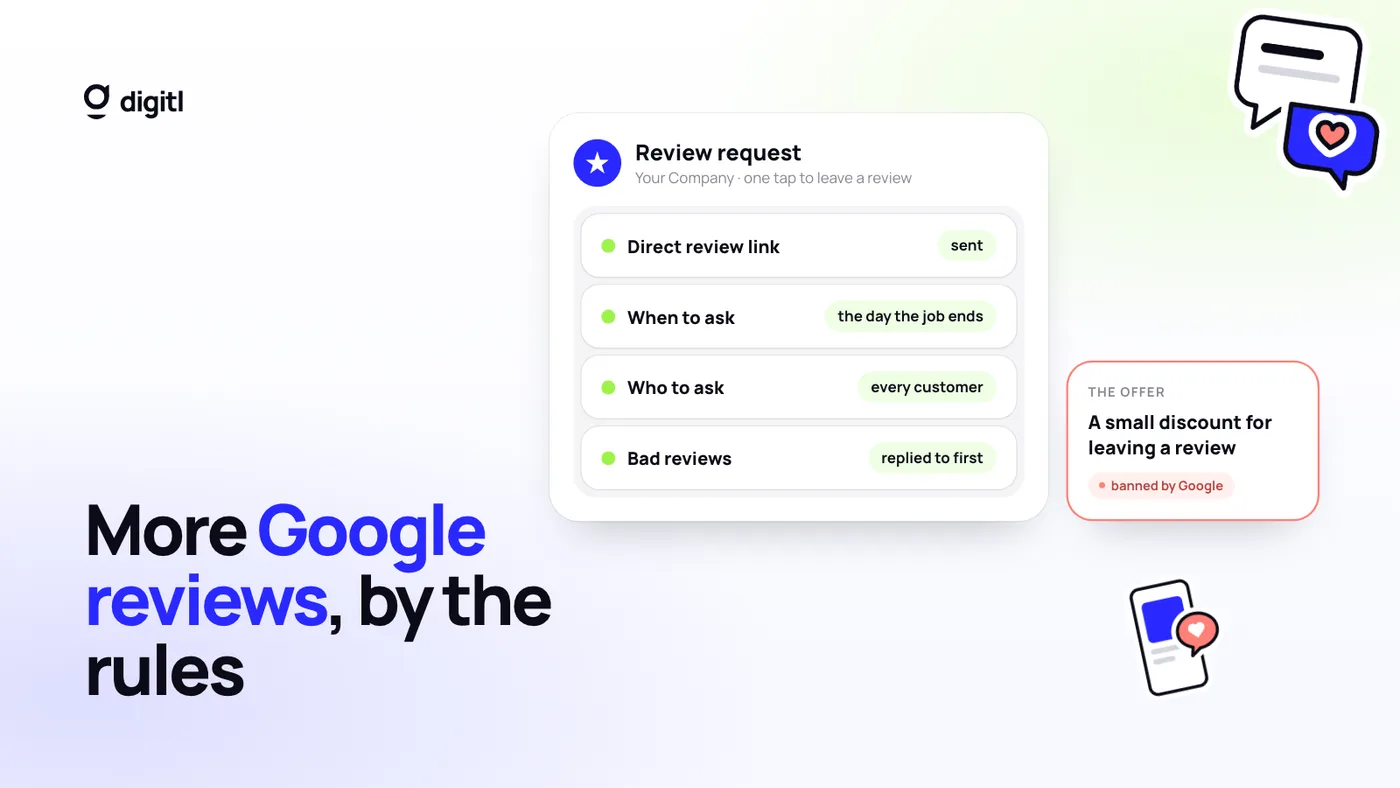
5 things to take awayThe fastest legitimate answer to how to get more Google reviews is a direct review link sent to every customer the day the job ends.
Google bans any incentive for a review, even a small discount offered whatever the rating, and bans asking only customers you expect to be happy.
The FTC's fake review rule has applied since 21 October 2024; the UK's DMCC Act ban since 6 April 2025.
Reviews written by the owner, staff or family break Google's conflict of interest rule, even where US law would allow them with a disclosure.
Your reply to a bad review is public, and the reviewer can still change their rating after reading it.
Since 21 October 2024 a fake or bought review can bring a US business an FTC civil penalty, now up to $53,088 for each knowing violation. In the UK the same reviews have been banned since 6 April 2025, and the CMA can fine up to 10% of global turnover.
You get more Google reviews by sending every customer the direct review link from your Business Profile soon after the job and by offering nothing in return. Everyone gets asked the same way. Every step here is free, and the set-up takes a few minutes, once.
Do Google reviews affect where you show on the map?
Yes. Google counts how many reviews you have and how they're rated toward prominence, which it weighs with relevance and distance when it ranks local results.
A Google review is a public one to five star rating that a customer leaves on a Business Profile, with or without text. Google's page on local ranking says more reviews and positive ratings can help a business rank locally. The same page also says nobody can request or pay for a better position.
Of everything that feeds prominence, reviews are the part you can add to every week. That matters most to a plumber or a cleaner whose customers type "near me" or the name of their town.
Your profile links to your website, and a customer who has just read your reviews may well open it on a phone. Check your site for free with Google's own phone test, in about twenty seconds.
Step 1. Get your direct review link and QR code
Your Business Profile generates a direct review link and a QR code that open the review form itself, so customers never search for your name.
Google's help page on review links and QR codes gives the path:
The same page says the review QR code can't be generated on a mobile device yet, so do this on a computer.
Without the link, a customer who searches Maps for you can land on a business with a similar name, which the direct link rules out.
We paste the link into the job-complete text and the invoice template once, and nobody has to look it up again.
Step 2. Ask every customer, soon after the job
Google's first tip for getting more reviews is to remind customers, and we send that reminder to every customer on the day the job ends.
Google doesn't set the timing, so that part is our call. On the day the work is signed off the customer still remembers who fixed what, and the request feels like the last step of the job.
"Every customer" includes the one who grumbled about the parking. The FTC's Endorsement Guides treat an invitation to all recent buyers as fair, even one that says you hope the reviews will be positive.
Customers from before you had the link count as well. The FTC's questions and answers on the review rule describe an email to all recent customers as a generalised request, which the rule's section on insider reviews exempts. So one message to everyone you've served recently is a fair way to get more Google reviews from customers who never had the link.
Google suggests putting the link on receipts and in thank-you emails, and says WhatsApp works too.
| Channel | Best moment | What to watch |
|---|---|---|
| Text or WhatsApp | Within an hour of a job at the customer's home | Open with their first name and the job, so it doesn't read like a bulk message |
| With the invoice | Keep the link above your signature | |
| QR code | At a reception desk or on a receipt | Google says not to pressure customers to review on the premises |
| In person | When the customer thanks you at handover | Leave the rating and the words to them |
Google's tips for getting more reviews say a reviewer needs a Google Account, though the account can use any email address. One line saying so helps the customers who never use Gmail.
Step 3. Write a request that takes one tap
A good request has four parts and fits on one phone screen. It asks for an honest review and offers nothing back.
Would you finish reading a request that opens with three lines about the company? Two examples for a heating engineer, a text and an email, show the length.
Hi Sarah, thanks for having us out to service the boiler today. An honest review on Google helps people nearby choose a heating engineer: [your review link]. Thanks, Tom at Example Heating
Subject: Your boiler service today
Hi Sarah, thanks for choosing us today, and your invoice is attached. If you have a minute, an honest review on Google would help us: [your review link]. Tom, Example Heating
Cut "if you were happy with us". That line sorts customers by mood before they've even seen the link.
Any mention of five stars goes as well. Google's prohibited and restricted content policy allows a request only when the business doesn't try to influence the rating or the content. The policy also bans asking for reviews that name a staff member, so Tom shouldn't ask to be mentioned.
We send one reminder a few days later to everyone who hasn't reviewed yet, happy or not, and after that we stop.
Step 4. Leave out what Google and the law ban
Google bans five common tactics outright, and US and UK law now covers most of them too, though each law draws its line in a slightly different place.
Google's policy bans any incentive for a review, and it bans asking selectively for positive ones. Business Profile Help files such incentives under fake and misleading content, which it calls strictly prohibited.
A reward for any review, whatever the rating, still counts as an incentive under Google's policy. Setting staff a quota of reviews to collect is banned too, so a bonus for "five reviews a month that mention Dave" breaks two rules at once. Has anyone on your team been promised something like that?
In the US the FTC's rule on consumer reviews in 16 CFR Part 465 bans a reward offered in exchange for a review that expresses a particular sentiment. Review gating, which means asking only the customers you expect to rate you well, falls outside that section. The FTC's Federal Register notice of the final rule still warns that gating can violate section 5 of the FTC Act.
In the UK, Schedule 20 of the DMCC Act bans commissioning a fake review, or one that hides the fact it was incentivised. Incentivising someone by any means counts as commissioning. The CMA's fake reviews guidance adds that on a platform that forbids incentivised reviews, as Google does, such a review is likely to mislead.
| Practice | Google's policy | US (FTC rule) | UK (DMCC Act and CMA guidance) |
|---|---|---|---|
| A discount for a five-star review | Banned | Banned | Banned, a CMA example |
| A small reward for any review, disclosed | Banned | Allowed if no sentiment is required | Likely misleading on Google |
| Asking only happy customers (review gating) | Banned | Can break section 5 of the FTC Act | Cherry-picking, per the CMA |
| Fake or bought reviews | Removed as fake engagement | Banned if the business knew or should have known | Banned, including via someone else |
| Reviews by the owner, staff or family | Removed as a conflict of interest | Allowed with a clear disclosure | Asking staff counts as commissioning |
Google's column is the strictest, or level with the strictest, in every row. On these five practices at least, a business that follows Google's policy stays inside both laws, so that's the standard we work to.
Why does a fake review cost more since 2024?
A knowing breach of the FTC rule can cost up to $53,088 per violation, and a UK breach up to 10% of global turnover.
When the FTC announced its final rule on 14 August 2024, it said the rule lets the agency seek civil penalties against knowing violators. The rule took effect on 21 October 2024.
The maximum rose to $53,088 on 17 January 2025 under the FTC's 2025 civil penalty adjustment. The FTC's 2026 inflation notice leaves it at that level for this year.
In the UK the ban on fake reviews has applied since 6 April 2025. The CMA's announcement on Google and fake reviews says the DMCC Act lets the CMA decide a breach without going to court and then fine a firm up to 10% of global turnover.
Google adds penalties of its own, which its page on Business Profile restrictions lists:
- no new reviews or ratings for a set period
- existing reviews unpublished for a set period
- a warning to consumers that fake reviews were removed
Under its undertakings to the CMA, Google also puts a warning on the profile of a UK business caught boosting its rating. Repeat offenders have all their reviews deleted for 6 months or more.
Handing the job to someone else doesn't help. UK law bans commissioning fake reviews, so the business that pays for them stays liable.
Step 5. Reply to every review, the bad ones first
Every reply appears publicly under the review and notifies its author, who can still change the rating after reading what you wrote.
Google's help page on managing reviews says each reply is checked against Google's policies before it goes live. That usually takes up to 10 minutes, and occasionally up to 30 days.
We'd answer one-star and two-star reviews within a day or two, and get to the five-star ones when there's time. Google's tips ask for replies that sound conversational and carry no deals. They also say never to share a reviewer's private information and to move a complicated case to phone or email.
Say a customer leaves one star because the cleaner arrived two hours late and skipped the oven. A reply could read like this:
What never goes in a reply:
- the customer's address, phone number or anything else from your records
- details of the job the reviewer didn't share
- a line-by-line rebuttal
- a refund or discount for changing or removing the review, which Google and the CMA both ban
A review from a competitor, or from someone who was never a customer, breaks Google's conflict of interest and fake engagement rules. You can report it from your profile, and while Google checks it the best move is one calm reply written for the customers reading along.
Step 6. Make asking a routine you can check
Three monthly numbers tell you whether the routine works. All three come from your own records, so you don't need an outside benchmark.
- jobs finished
- review requests sent
- reviews received
If requests trail jobs, the trigger is broken. When reviews trail requests, look at the wording and the timing.
For more reviews fast, the quickest start we know inside the rules is one catch-up message to recent customers, then a request with every new job.
We'd spread that catch-up message over a week or two. Google's policy treats unusual volumes or patterns of reviews that point to rating manipulation as a violation, and the CMA's guidance warns against stopping and starting review invitations arbitrarily.
The request itself should go out automatically when a job is marked done in the CRM or booking system, so it never depends on someone remembering on a busy Friday.
We set this up as part of local SEO, next to the Business Profile and the service pages on your site. The review link goes into your job-complete message, and the request goes out from your CRM or booking tool through business automation. Reviews received and replies sent sit in the monthly report, beside positions, visits and enquiries from search. SEO starts from €250 a month, and automation from €100. We don't promise a ranking position or a fixed number of enquiries.
Common questions about how to get more Google reviews
1. Can I ask customers for a five-star review?
No. Ask for an honest review instead. Google allows a request only when the business makes no attempt to influence the rating. The FTC's Endorsement Guides are looser and accept a request to all recent buyers that hopes for positive reviews. Google's line is the one to follow, and the CMA lists a free product for a five-star review as banned.
2. Can I use software that sends unhappy customers to a private form first?
Not for Google reviews. Routing only satisfied customers to Google is the selective request Google's policy bans. The FTC's rule has no specific ban on it, yet the FTC says the practice could still break the FTC Act. The CMA calls it cherry-picking. If your review tool has this routing switched on, turn it off and send everyone the same link.
3. If an agency posts reviews for me, who is responsible?
Both of you. The DMCC Act bans commissioning another person to submit fake reviews, and a separate provision bans offering that service to traders. On the US side, the FTC rule covers reviews a business buys when it knew or should have known they were fake.
4. Can I show only my best Google reviews on my own website?
Show a fair selection, with your overall rating next to it. Under the DMCC Act, publishing reviews in a misleading way includes leaving out negative ones while publishing positive ones. The FTC's Endorsement Guides call a site that hides reviews under four stars misleading. The simplest honest option is a widget that shows your Google rating and latest reviews.
5. Is it legal to ask family to review my business?
In the US it can be, provided they clearly disclose the relationship, according to the FTC's questions and answers. On Google the review won't last. Google removes reviews based on a conflict of interest, and its policy names family relationships. Where the two answers differ, Google's decides whether the review stays up.
What to do next
If you've finished more jobs in the past two months than you have Google reviews, set up the link and the job-complete message this week and then send it to every customer.
If you've ever offered a reward for a review, or filtered who gets asked, rewrite the template before anything new goes out. After that, reply to every review on the profile, lowest ratings first.
If you'd rather have the review requests and replies run alongside your local SEO, book a call or send us a message at hello@digitl.me.
Written byLazar
Have a question about this topic?
The first call is free.